Login
Access the app
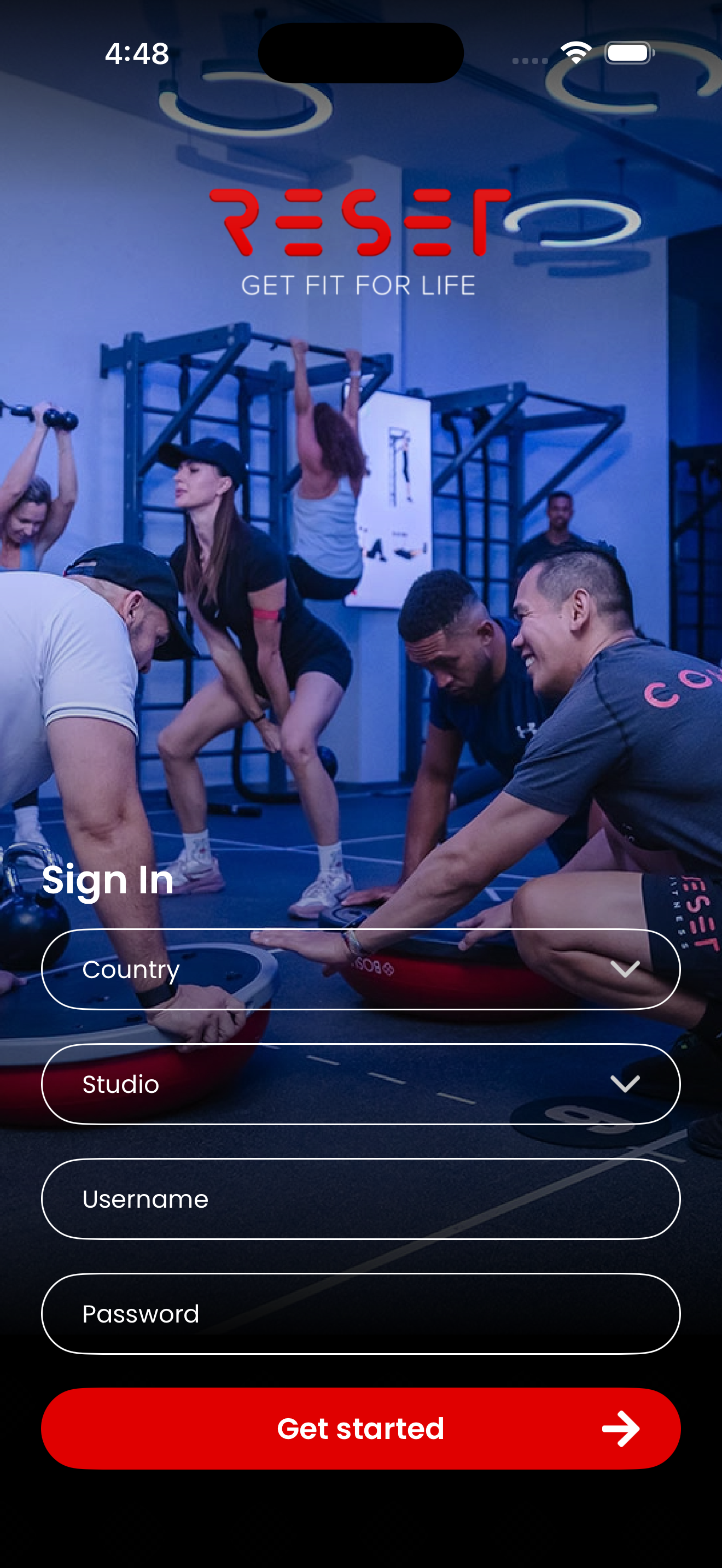
- Select Country.
- Select Facility.
- Enter Username.
- Enter Password.

Guide 02
Use Smart Coach to review scheduled workouts and preview the correct session before class delivery.
Login
Preview
Visual Walkthrough
Use these screenshots to understand what operators should expect on each part of the Smart Coach experience.
Screen 01
Start by selecting the correct country and studio, then enter the assigned username and password to access the app.
Screen 02
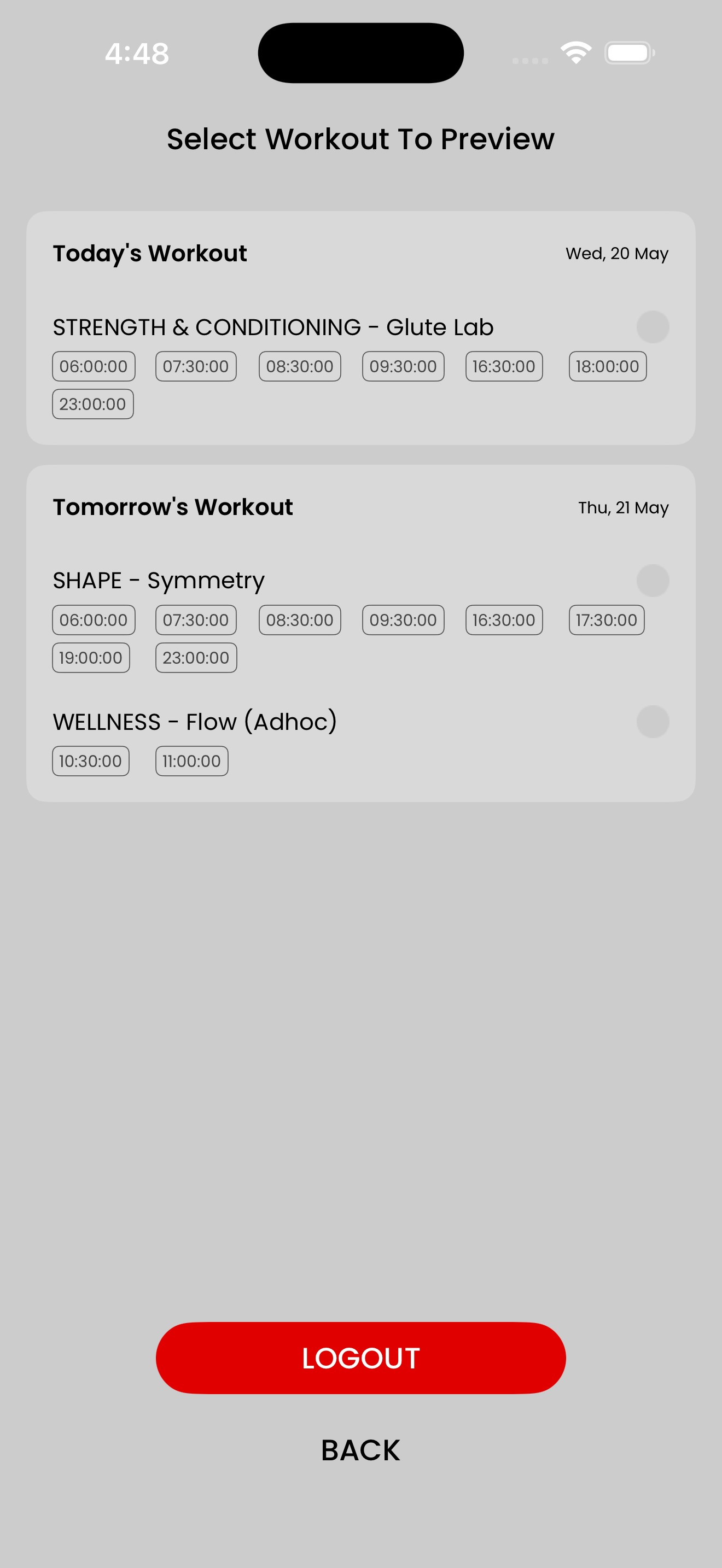
This screen shows today's workout and tomorrow's workout so the operator can preview the correct schedule before the session starts.
Screen 03
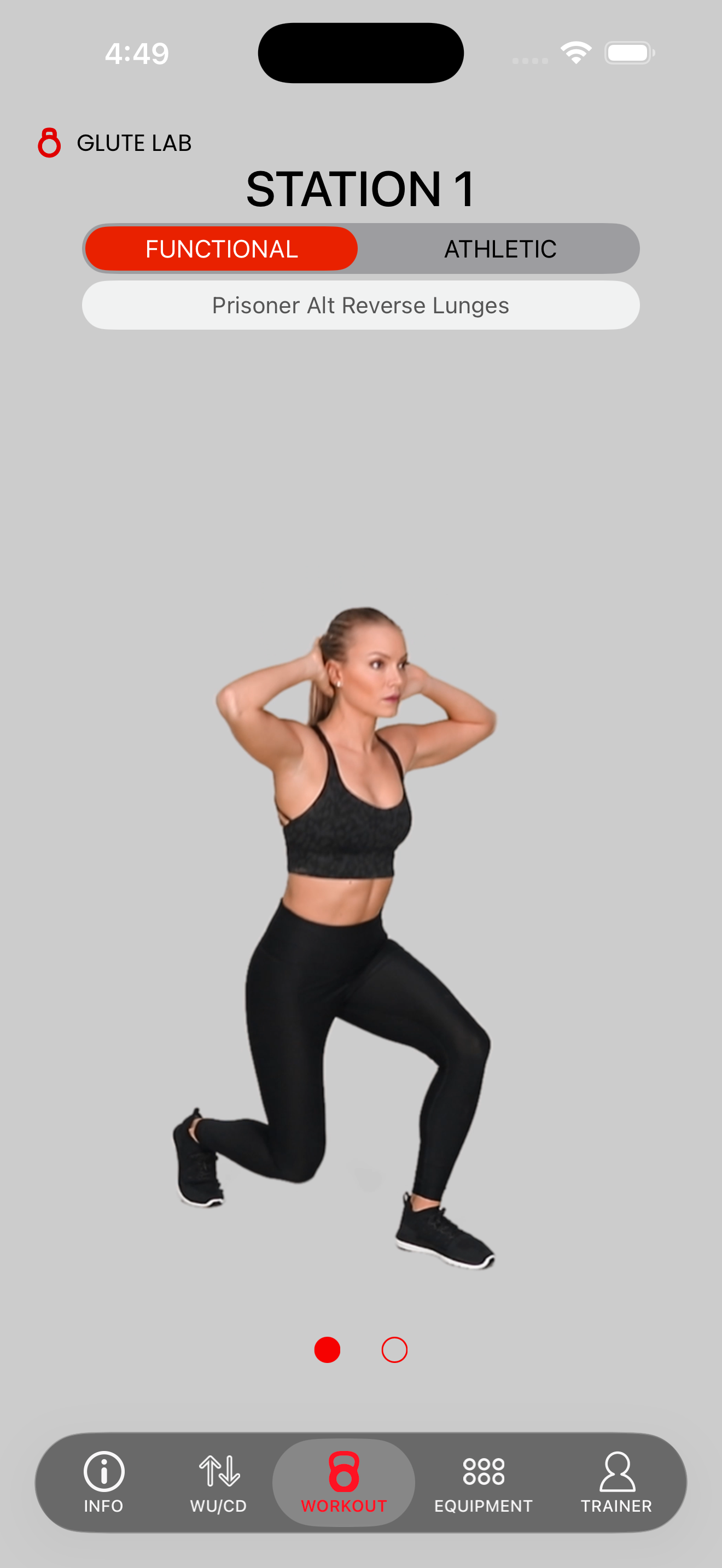
The workout tab helps the operator view the active station, selected mode, and the exact exercise name for that part of the class.
Screen 04
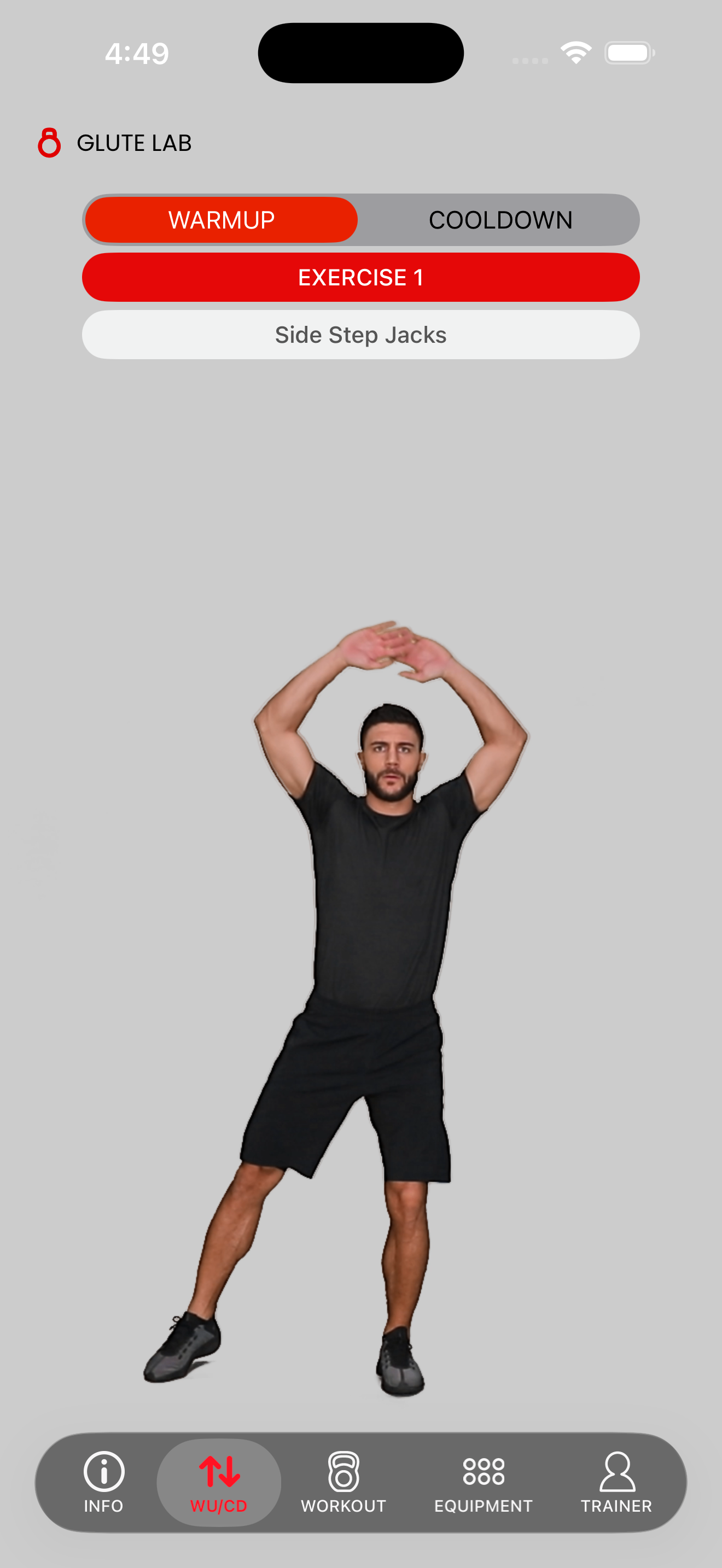
The WU/CD tab is used to preview warm-up and cool-down movements so the team can confirm the session flow before class delivery.
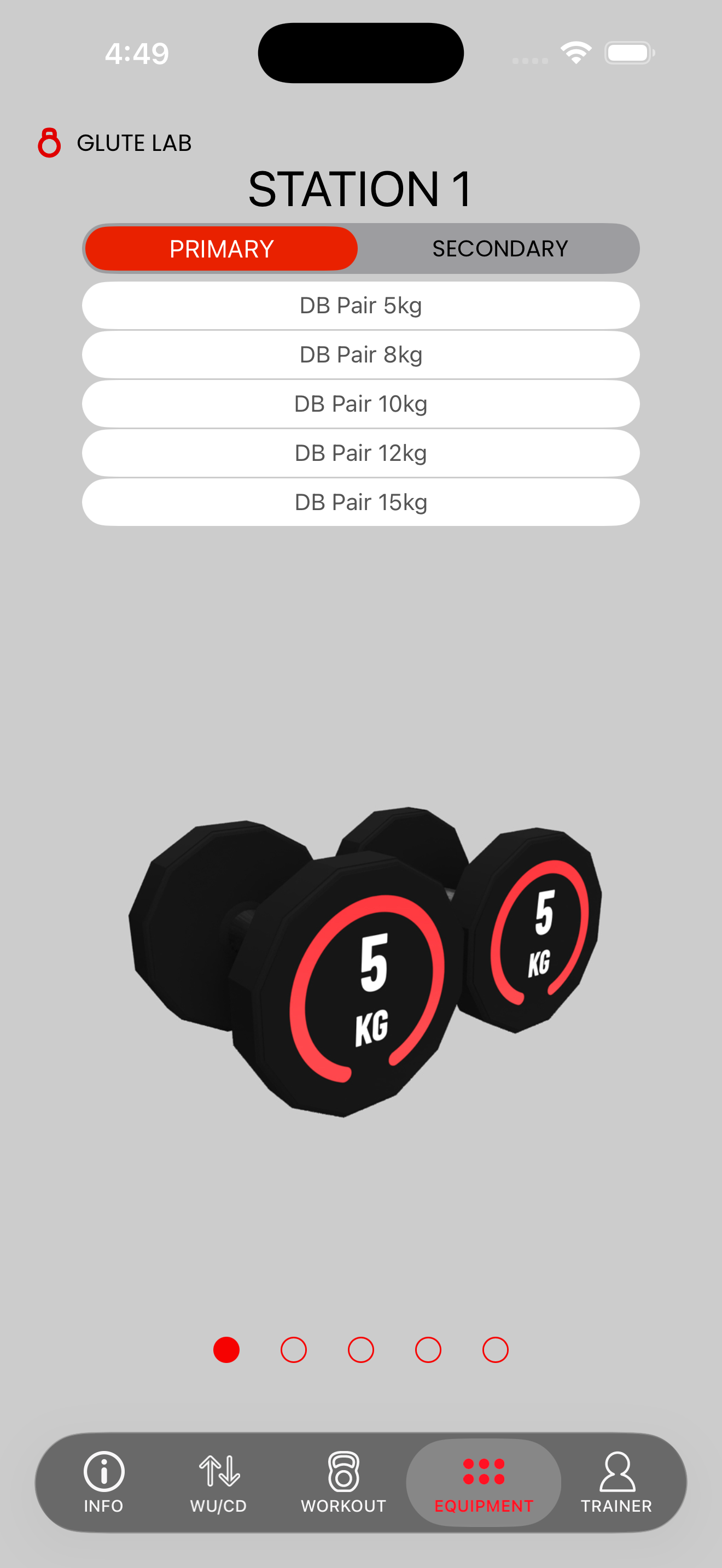
Screen 05
The equipment tab lists the required setup for the selected station so the floor team can prepare the right kit before members begin.
Support Notes
Check the portal scheduler and verify the workout has been assigned correctly for the expected date.
Use the top settings menu to switch between today's and tomorrow's workout views.
Escalate the issue to the Tech Team if the Smart Coach App closes unexpectedly.